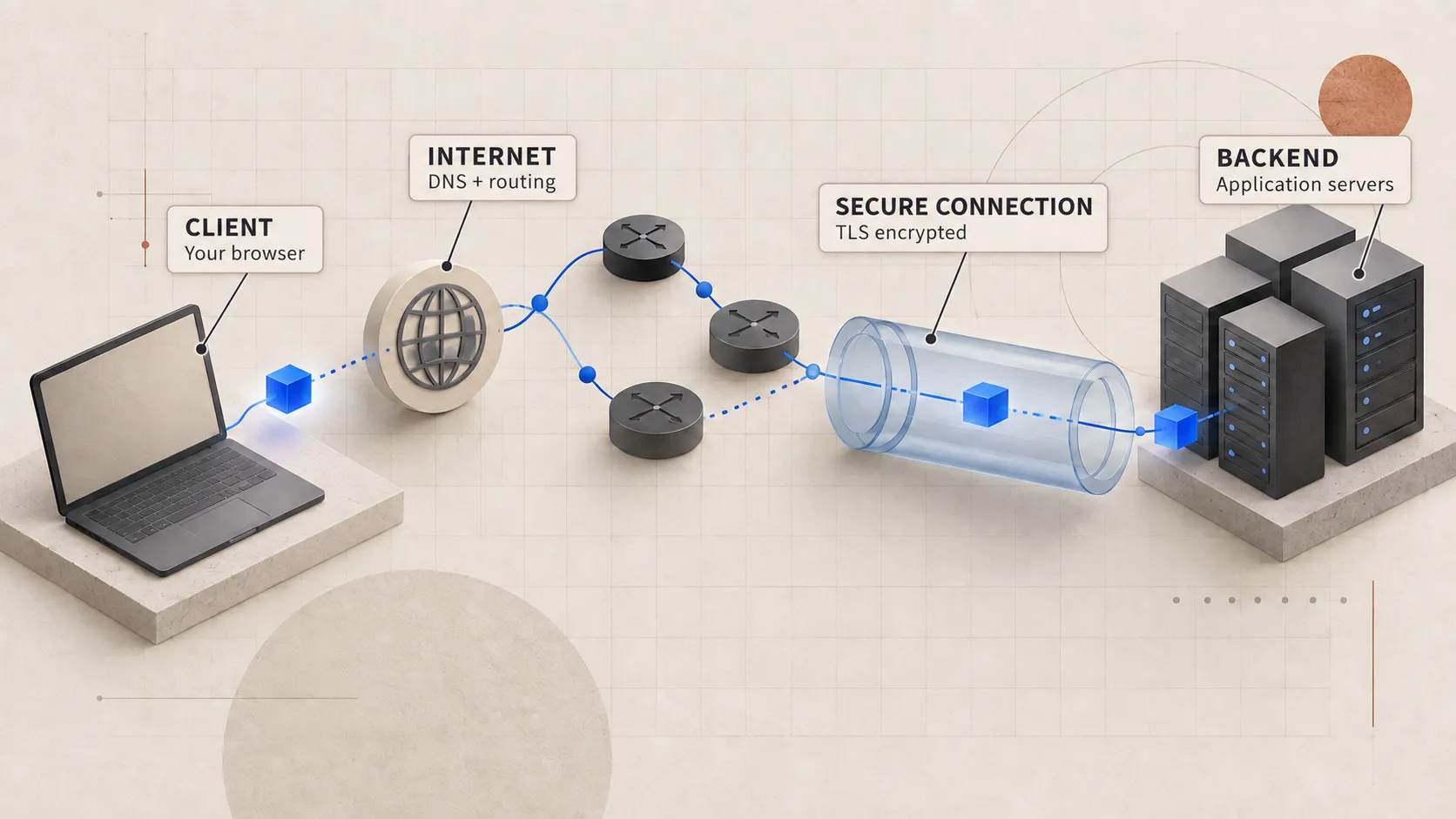
HTTPS feels like something added to an HTTP request. Change http:// to https:// and the request becomes secure. On a normal full first handshake, the browser creates the secure channel before it sends the method, path, headers, and body. TLS 1.3 early data is a deliberate exception, and we will come back to why it is unsafe for an order.
Most of this setup is easy to miss because the browser often reuses a connection it already opened. We will start with the cold path, where it has to create a secure connection from scratch.
What HTTPS is protecting
For this request, TLS gives the connection three things:
- Confidentiality keeps someone observing the network from reading the request or response.
- Integrity lets the peers detect changes to protected bytes.
- Server authentication lets the browser verify that it is talking to a server authorized for the requested hostname.
TLS only protects the connection and checks the identity of the network endpoint using the browser’s certificate rules. The application still has to decide whether the user can place the order and whether the payment is valid. A valid certificate also does not prove that the business itself is trustworthy.
The browser begins with a ClientHello
After DNS and the transport setup are complete, the browser sends a TLS ClientHello. This message lists the protocol versions and cryptographic options the browser supports. It also includes a key share for establishing the session keys, along with extensions that give the server more information about the connection.
Two extensions are especially visible in modern web infrastructure:
- SNI tells the edge which hostname the browser wants. One IP address can serve certificates for many hostnames.
- ALPN lets the peers agree on the application protocol, such as HTTP/1.1 or HTTP/2.
The server replies with its selected parameters and its own key share. Those values allow both sides to derive the same secret without sending that secret directly across the network.
Browser                                  Server
   | -- ClientHello + key share ----------> |
   | <-- ServerHello + key share ----------- |
   | <-- certificate + proof + Finished ---- |
   | -- Finished --------------------------> |
   | == encrypted HTTP can now flow ======== |
This is a summarized view of a fresh TLS 1.3 handshake. A packet capture will show more detail, but the main flow is straightforward: agree on the connection settings, verify the server, derive shared keys, and confirm that both sides are ready.
A certificate connects a key to a name
The server sends a certificate chain. The leaf certificate contains the hostname or hostnames it covers and information about its public key. Before trusting it, the browser checks several things:
- Does the requested hostname match the certificate?
- Is the certificate currently valid?
- Does the chain lead to a certificate authority the browser trusts?
- Did the server prove that it controls the corresponding private key?
- Was the handshake preserved without undetected modification?
The certificate helps the browser authenticate the server. It is not what encrypts every byte that follows. After the key agreement, both sides use symmetric traffic keys because they are more efficient for the application data moving through the connection.
If any of those checks fail, the browser should stop the connection and show a certificate warning. Continuing past that warning means the browser could not establish the server identity it expected.
The first request pays for distance
A new TCP connection normally costs one network round trip before regular data can flow. A fresh TLS 1.3 handshake usually adds another round trip before the browser sends protected application data. The farther the user is from the TLS endpoint, the longer both trips take.
This is one reason CDNs and regional edges can improve more than static-file delivery. They can terminate the connection closer to the user, which shortens the physical distance covered by the handshake.
That delay does not come from one thing called “TLS.” Several steps overlap:
- DNS may need resolution.
- TCP or QUIC must establish transport state.
- TLS must establish keys and identity.
- Lost packets can trigger retransmission delays.
- Certificate chains add bytes that must cross the path.
Before blaming TLS for the full delay, measure each stage separately.
Warm connections change the story
The browser tries to avoid repeating this setup. It can reuse cached DNS answers and open TCP connections, run several HTTP/2 streams over one connection, and resume an earlier TLS session.
With HTTP/2, many requests to the same origin can share one connection. A Place Order click may therefore open a new stream on a connection created while loading the page. No new TCP handshake or full TLS handshake is required for that request.
TLS session resumption also reduces repeat work. The earlier connection leaves the client with resumption information. A later handshake can use that shared context to authenticate the relationship and derive fresh traffic keys more cheaply.
This is why the first request in a test can be much slower than a later request from someone already using the product.
Why 0-RTT is dangerous for orders
With TLS 1.3, a resumed client may be allowed to send early data before the new handshake finishes. This is called 0-RTT. It saves time, but an attacker can replay that early data in situations the application has to account for.
Replaying a public GET may be acceptable. Replaying POST /orders or POST /payments can create duplicate business actions. Servers often reject early data for operations like these, and the application still needs its own idempotency protection.
Encryption stops an observer from reading the request. The application still has to protect itself from the same valid request being submitted twice.
TLS often ends before the application
In production, a CDN, cloud load balancer, ingress controller, or reverse proxy often presents the certificate to the browser. That component decrypts the request and opens a separate connection to the upstream application.
The internal connection may use TLS again, mutual TLS, or plaintext inside a controlled network. Each choice places the trust boundary somewhere different. When a team says it uses HTTPS, I still want to know where TLS ends and how the next connection is protected.
This matters for debugging too. The application process may never see the original client TLS connection. It sees the proxy’s upstream connection and receives selected client context in trusted headers.
HTTP/3 changes transport, not the goal
HTTP/3 runs over QUIC, which uses UDP underneath and integrates TLS 1.3 into transport setup. It can reduce some setup costs and avoids TCP-level head-of-line blocking between independent HTTP streams.
I still ask the same questions:
- Which hostname is the client authenticating?
- Where does encryption terminate?
- Can an existing secure connection be reused?
- What happens when packets are lost?
- Is the operation safe to replay?
HTTP/3 changes how the connection is created, but I would still use these questions to understand what the system is doing.
The practical checklist
When HTTPS setup appears slow or broken, separate the stages:
| Symptom | First question |
|---|---|
| Certificate warning | Does the certificate cover the hostname and chain to a trusted authority? |
| Slow only on first request | Are connection setup and TLS handshake dominating? |
| Some hostnames fail on one IP | Is SNI selecting the correct certificate? |
| Browser uses HTTP/1.1 unexpectedly | Did ALPN negotiate the expected protocol? |
| Internal hop visible as plaintext | Where does TLS terminate, and is that boundary intentional? |
| Duplicate write after retry | Is the operation idempotent? |
Once the secure connection is ready, the browser can finally send the order request. The next question is which application server the edge will choose.